
Shop alignments are expensive. Guessing is worse.
Enthusiasts change ride height, swap arms, hit curbs, replace suspension, and chase handling problems. Waiting for an appointment every time kills momentum.
$150–$250 per visit
One alignment may be fine. Multiple checks after adjustments, track days, and part changes add up fast.
Shops don't know your setup
Lowered, drift, autocross, track, off-road, classics.. your car may need more than "factory green."
Bad alignment hides everywhere
Crooked steering, strange tire wear, instability, pull, and vague handling can all start with geometry.
G1 turns alignment into something you can check anytime.
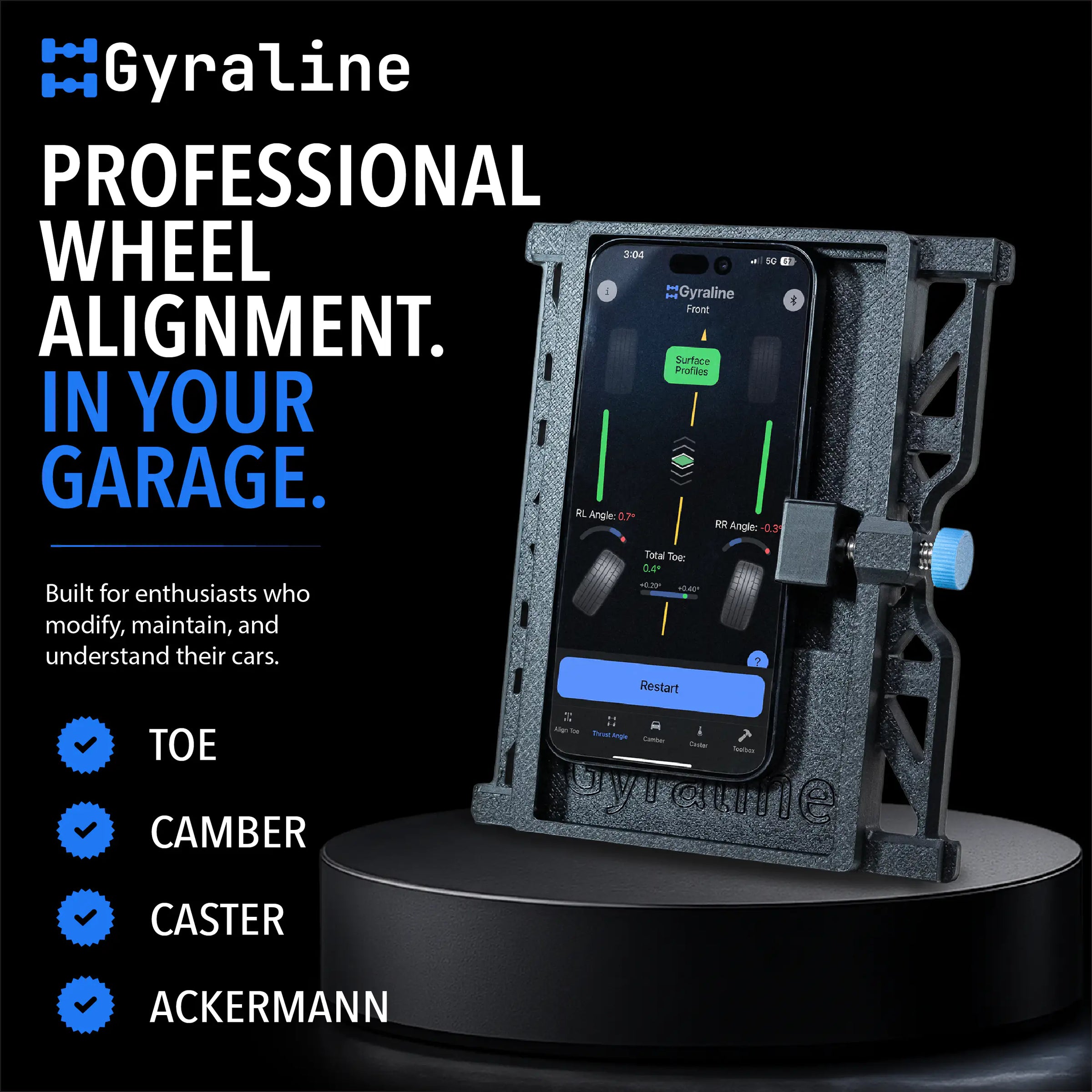
This is not a phone case. It is a measurement system.
Your iPhone supplies the sensors. The G1 adapter creates consistent wheel contact. The app guides the workflow and compares wheel planes in 3D space.
Mount your iPhone
Place your iPhone into the Gyraline Adapter for repeatable contact against each wheel.
Touch each wheel
Follow the app's guided sequence around the vehicle to capture wheel orientation.
Read the results
See toe, camber, caster, thrust angle, and steering offset depending on the selected mode.
Adjust and re-check
Make changes, measure again, and see whether the car moved the way you expected.
Simple and fast toe measurements.
No shop. No appointment. Just your car, your phone, and a few minutes.
Six dedicated alignment modes on your iPhone.
G1 unlocks the alignment workflows normally trapped inside expensive shop equipment.

6-Point Check
Compare all four wheels to the rear axle and diagnose steering wheel offset.

Rear Thrust
Start with rear axle alignment before touching the front.

Body Alignment
Reference wheel alignment to the vehicle body centerline.

Camber
Quickly compare left and right camber for grip and tire wear.

Caster
Guided caster sweep with automatic calculation.

Ackermann
Visualize inside/outside steering geometry differences.
Official G1 how-to guide.
Designed for repeatability, not magic.
The adapter, contact points, app workflow, and iPhone sensors work together so you can compare results session after session.
Quad-Point Contact
Consistent wheel contact is the foundation of repeatable measurements.
iPhone Sensors
Uses the gyroscopes and accelerometers already inside your compatible iPhone.
Guided Workflow
The app tells you where to place the adapter and when to capture each point.
Re-check Fast
Make an adjustment, measure again, and see whether the car moved the way you expected.
Data-driven proof
We put G1 against a leading alignment rack and documented the results.
View the Full Study
For the cars that never stay stock.
Trusted by drivers, builders, and automotive media.


Proven outside the shop.
"Gyraline has made it possible for me to build and set my car up 100% by myself in my garage and take it to the track."Brandon, Verified Review
"Did a streetcar and got it checked on my buddy's alignment rack and it was only 0.009 off. Awesome alignment tool!"Nick, Verified Review
"Fixed two cars in three days. Paid for itself already."Kevin, Verified Review
What you need to get started.
G1 works with iPhone. If you already have one, you have everything you need to run the app and start measuring.
iPhone Required
G1 requires an iPhone 8 or newer running iOS 15.6 or later. iPhone 11 or newer is recommended for the most consistent results.
Android Not Supported
G1 is iOS only. If you're on Android, the Gyraline G2 supports both iOS and Android via USB-C.
Shop Gyraline G2 →Phone Not Included
The kit includes the Gyraline Adapter and a lifetime software license. A compatible iPhone is the only thing you need to supply.
G1 vs G2: Know the difference.
Both are built by Gyraline. One is built for the enthusiast. One is built for the professional.
Questions before you buy?
What's the difference between G1 and G2?
G1 is built for DIY users who want to verify and adjust their own cars. G2 is built for shops, teams, and commercial use.
Can I use this on any car?
Gyraline works on virtually any vehicle with accessible wheels. You need a reasonably level surface and a compatible iPhone.
Do I need strings, cameras, or other hardware?
No. G1 uses your iPhone, the G1 adapter, and the Gyraline app workflow.
How long does a check take?
Most experienced users can complete a check in 5–10 minutes. First sessions usually take longer while learning the workflow.
Is it durable?
The Gyraline Adapter is built from durable PET-G and designed for garage, paddock, and track-day environments.
Is Spec Lookup included?
No. OEM Spec Lookup is sold separately and works with G1 and G2. Learn more here.
Stop guessing. Measure your alignment when it matters.
Get the Gyraline G1 kit and turn your iPhone into a portable DIY alignment system.
Add to Cart